
Overview
Redesigned the Microsoft.com search experience to help users find relevant information across Microsoft's products, services, and support resources through a unified, responsive interface.
PRODUCED
2013-2014
CLIENT
COLLABORATION
UX Design
Product Design
UX Research
Engineering
Product Management
THE PROBLEM
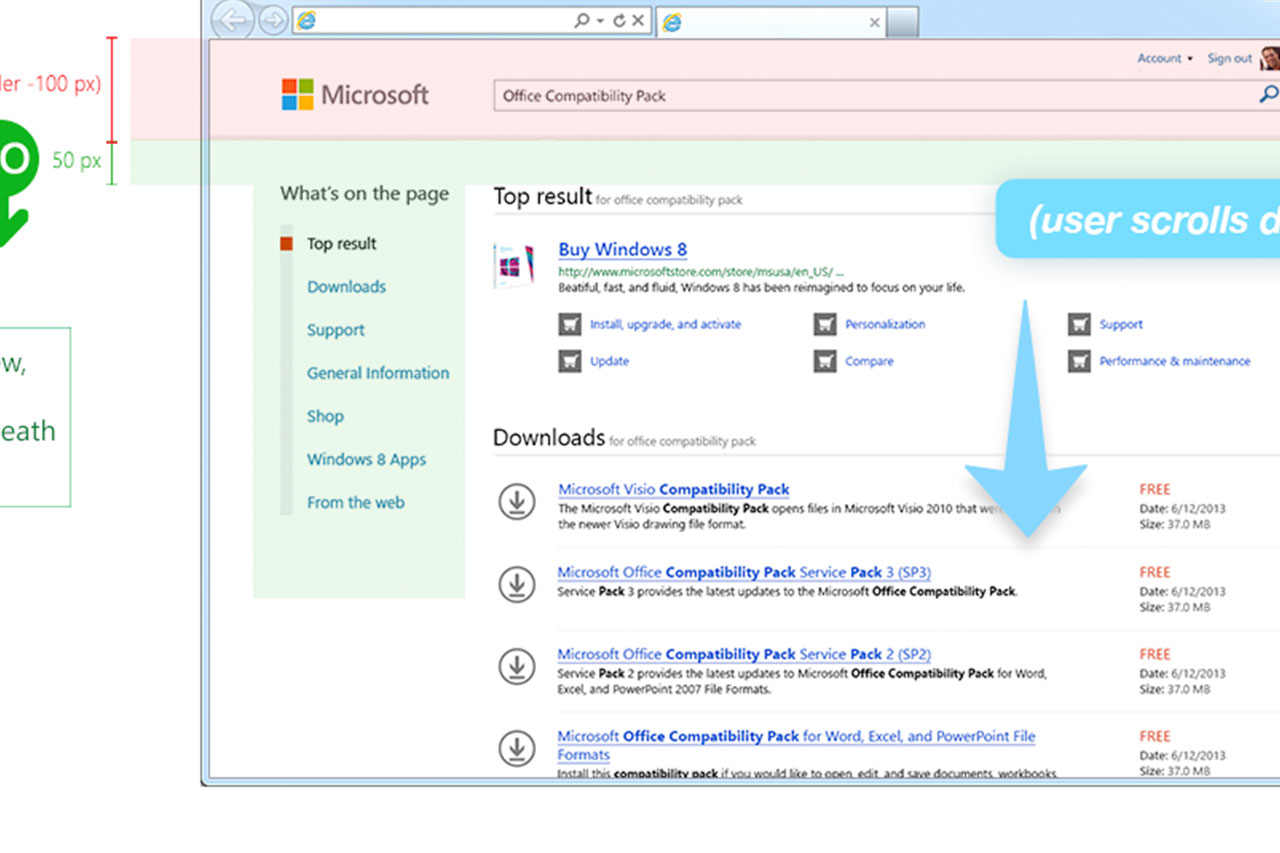
Microsoft.com needed to present search results from multiple areas, including Xbox, Microsoft Store, and Help and Support, without overwhelming users. The challenge was organizing diverse content into a single experience while maintaining clear information hierarchy and making relevant results visible without excessive scrolling.
MY ROLE
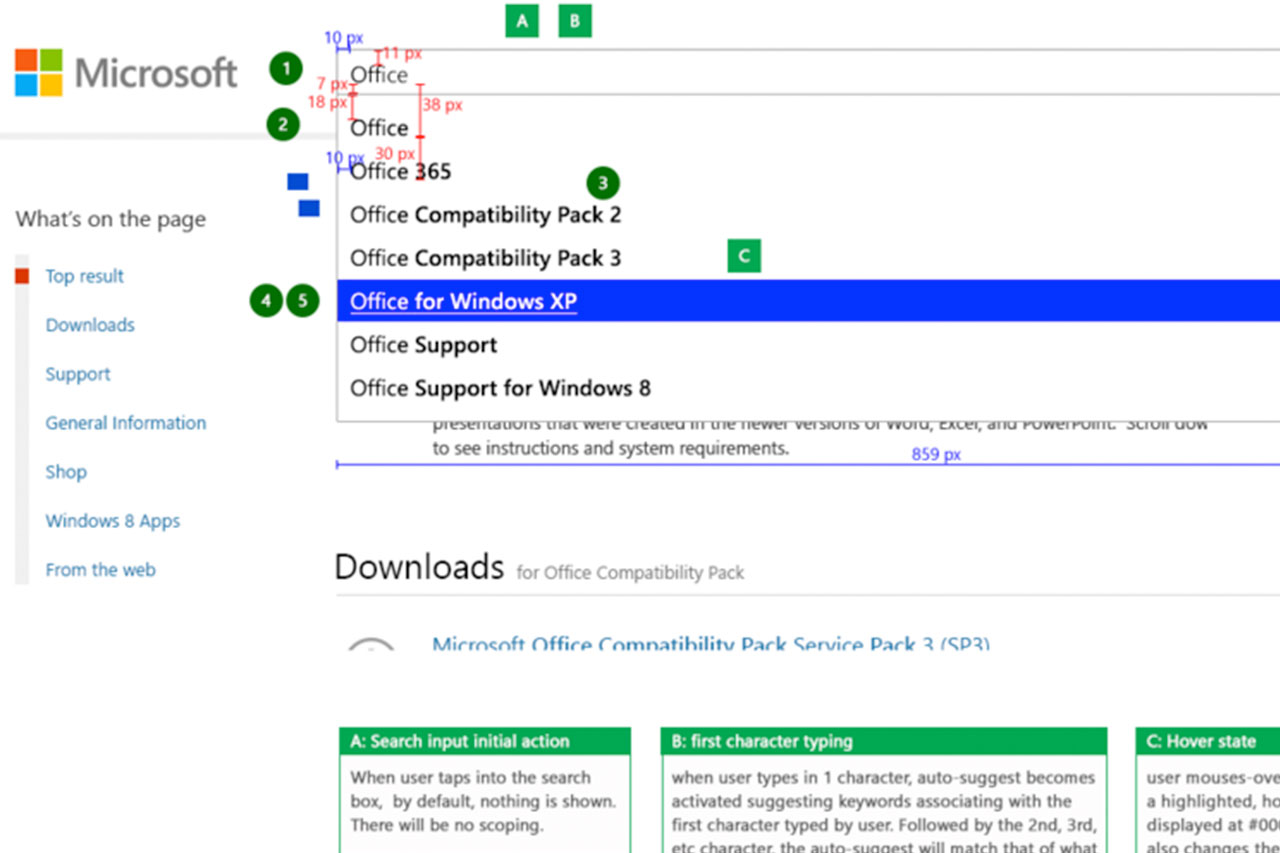
As part of a larger design team, I developed UX concepts, led much of the interaction design work, and created prototypes for desktop and mobile experiences. I refined designs through multiple iterations based on user feedback and collaboration with the broader team.
PROCESS
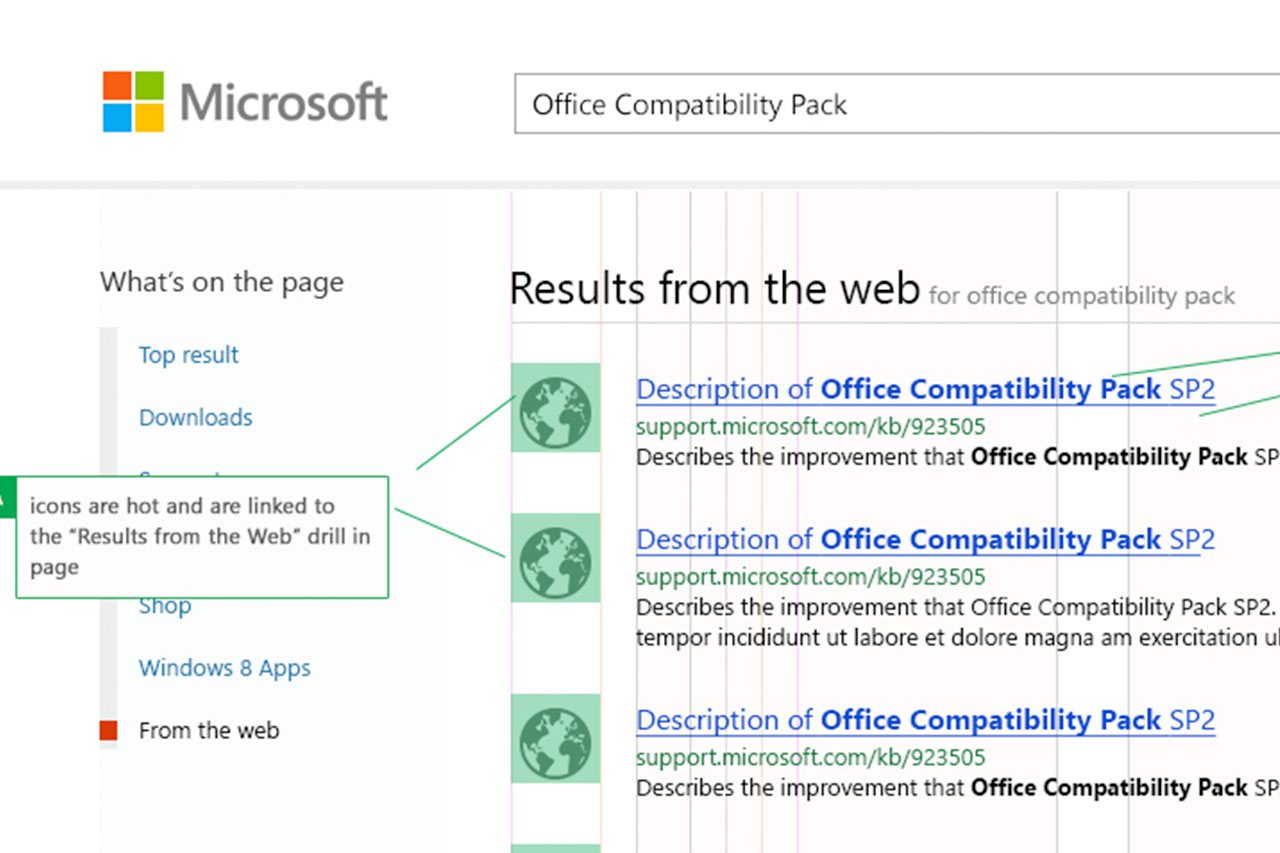
I developed a categorized search experience that brought results from multiple Microsoft services into one view. A key design decision was limiting each category to five results. This helped reduce visual clutter, establish a consistent hierarchy, and improve the opportunity for users to see multiple categories above the fold. I also designed the experience using a mobile-first, responsive approach, adapting the layout and navigation for smaller screens. Throughout the project, I created prototypes, explored design concepts, and refined the experience based on user feedback.
OUTCOME
The redesigned Microsoft.com Smart Search experience launched, providing a unified search interface across multiple Microsoft product and support categories. The project demonstrates information architecture, responsive interaction design, prototyping, and iterative product development within Microsoft's web ecosystem.